Turn judgments into your own case notes
For law students at every stage of the degree. Make case notes in your own format, practise exam answers and go back to the judgment to check your understanding.

Use Juriton to study
01
Read a judgment and check your notes
02
Practise an answer and review your reasoning
From the judgment to your case note
Build a case note and check it against the judgment before deciding what to keep.
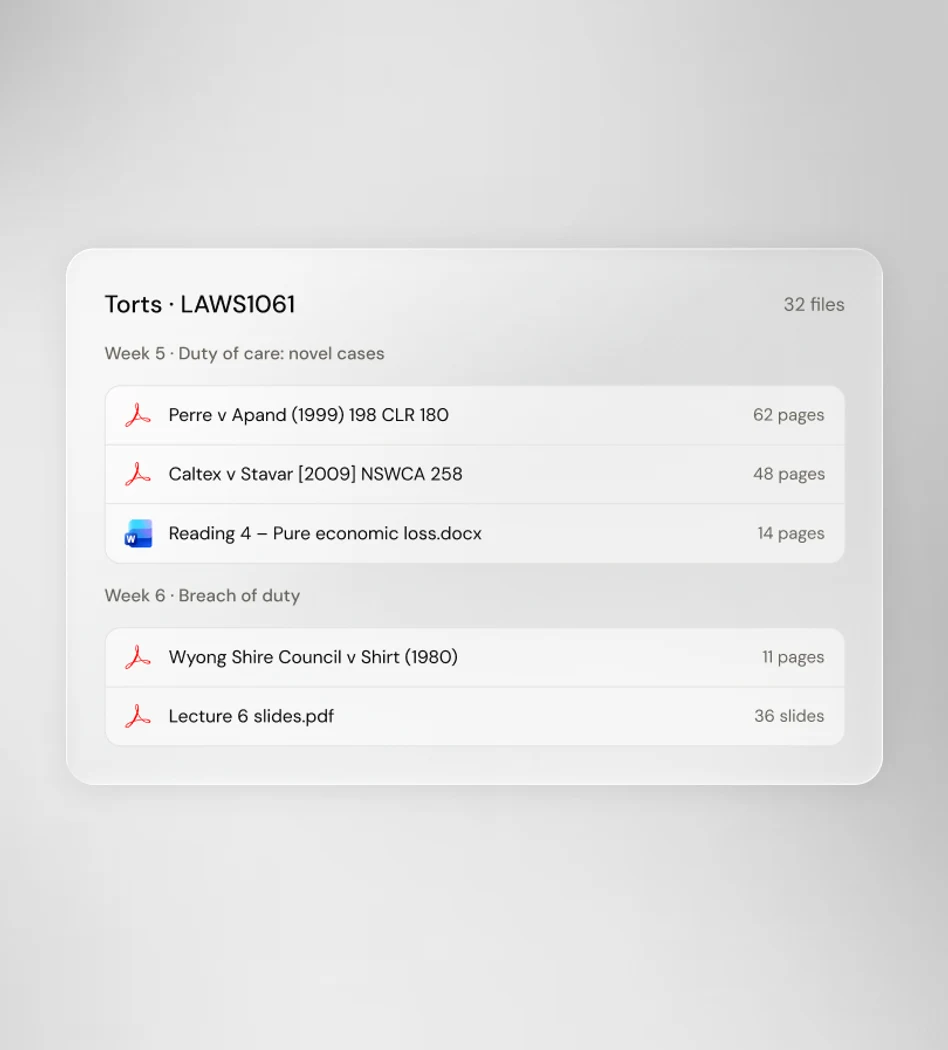
Add your readings
Cases, readings and lecture slides, sorted by subject and week.
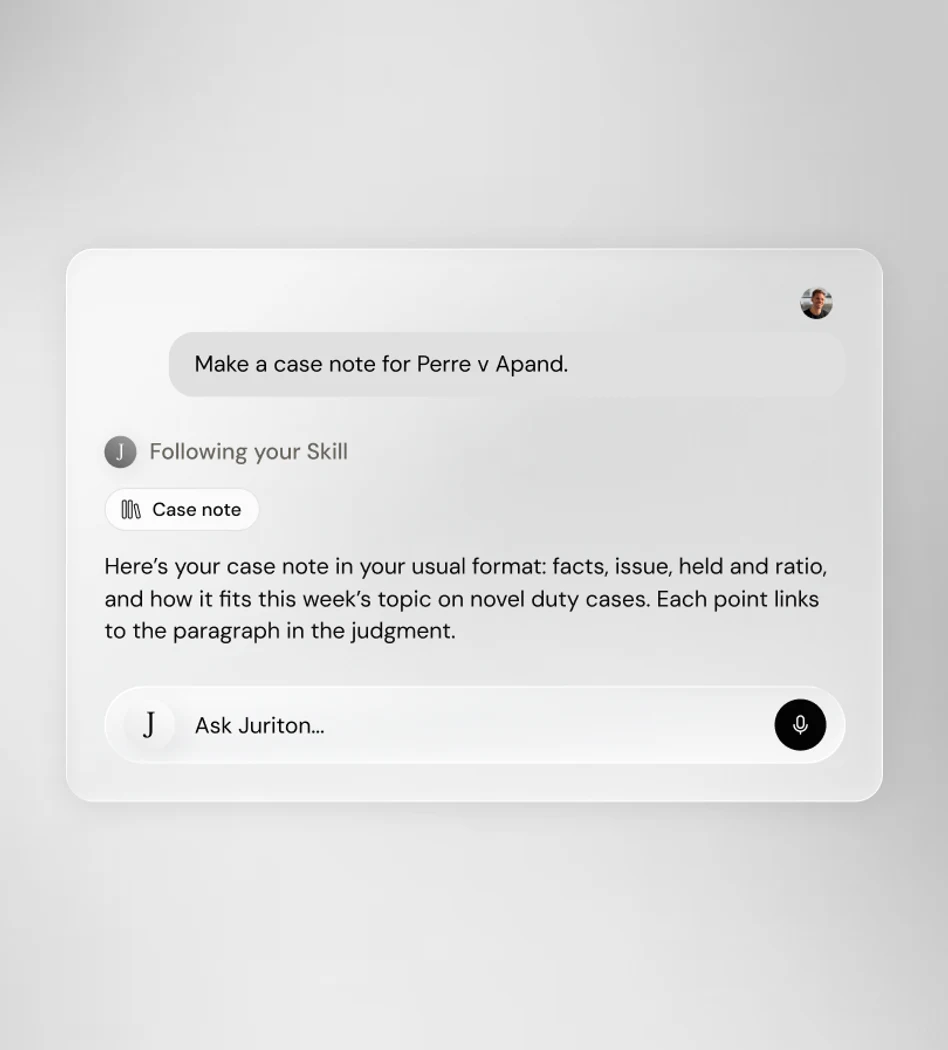
Ask for a case note
Use your Skill to make a case note in your own format.
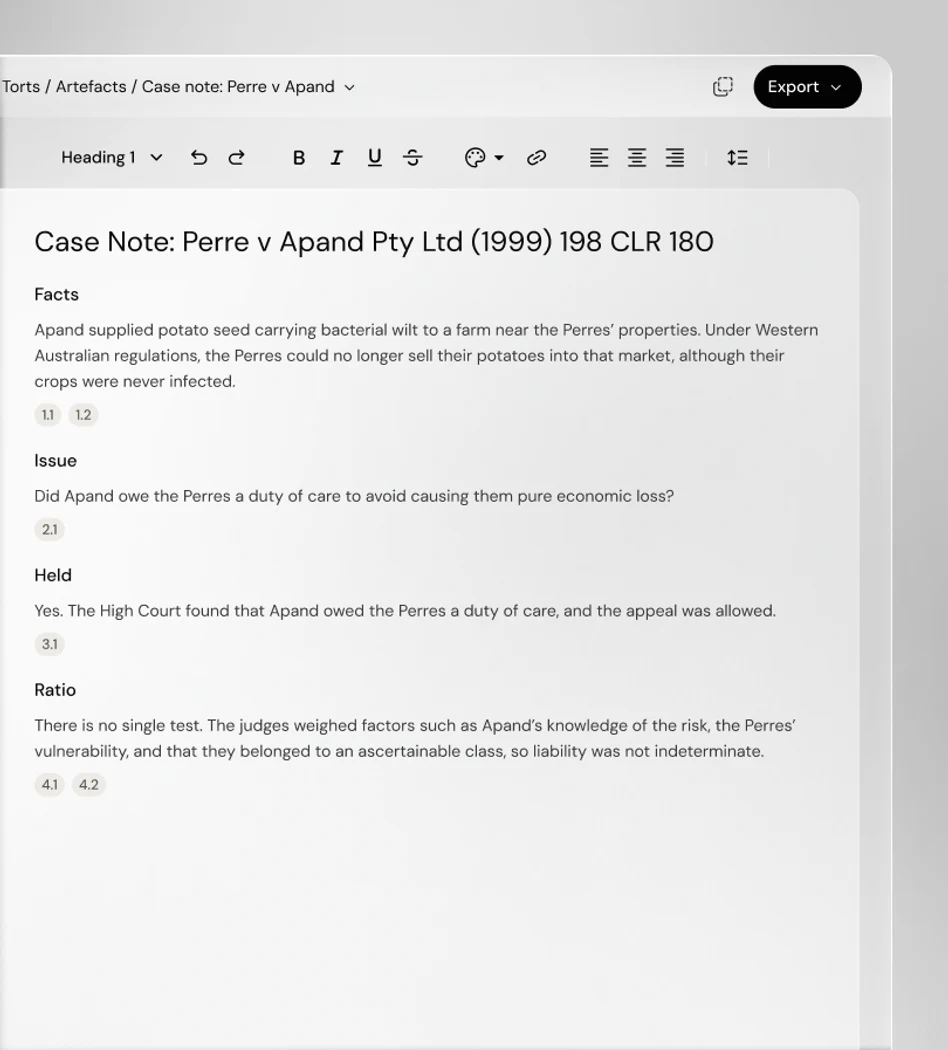
Review your notes
Check the facts, issue, decision and reasoning in the draft.
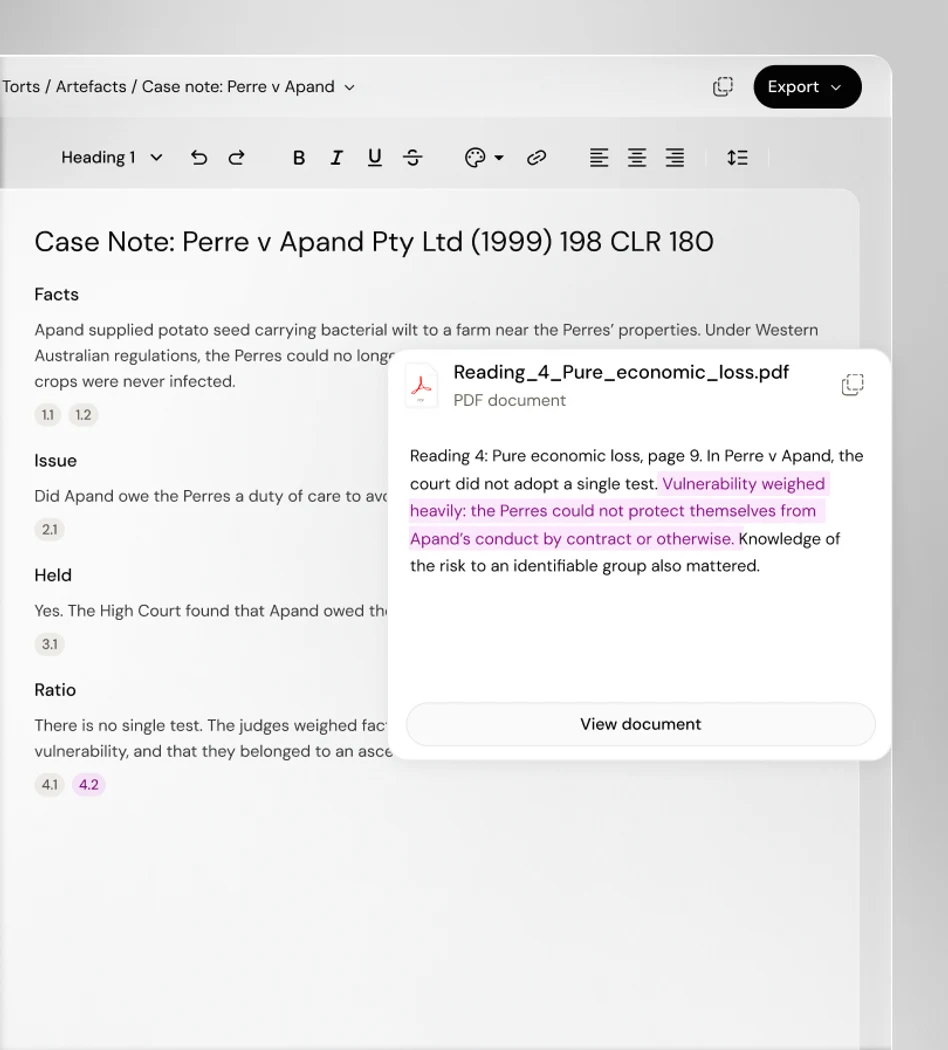
Read the judgment
Open the cited paragraphs and decide what belongs in your notes.
Perfect your workspace with your own skills and judgment.
Simon MikkelssonFounding designer · Board member

Practise before the exam
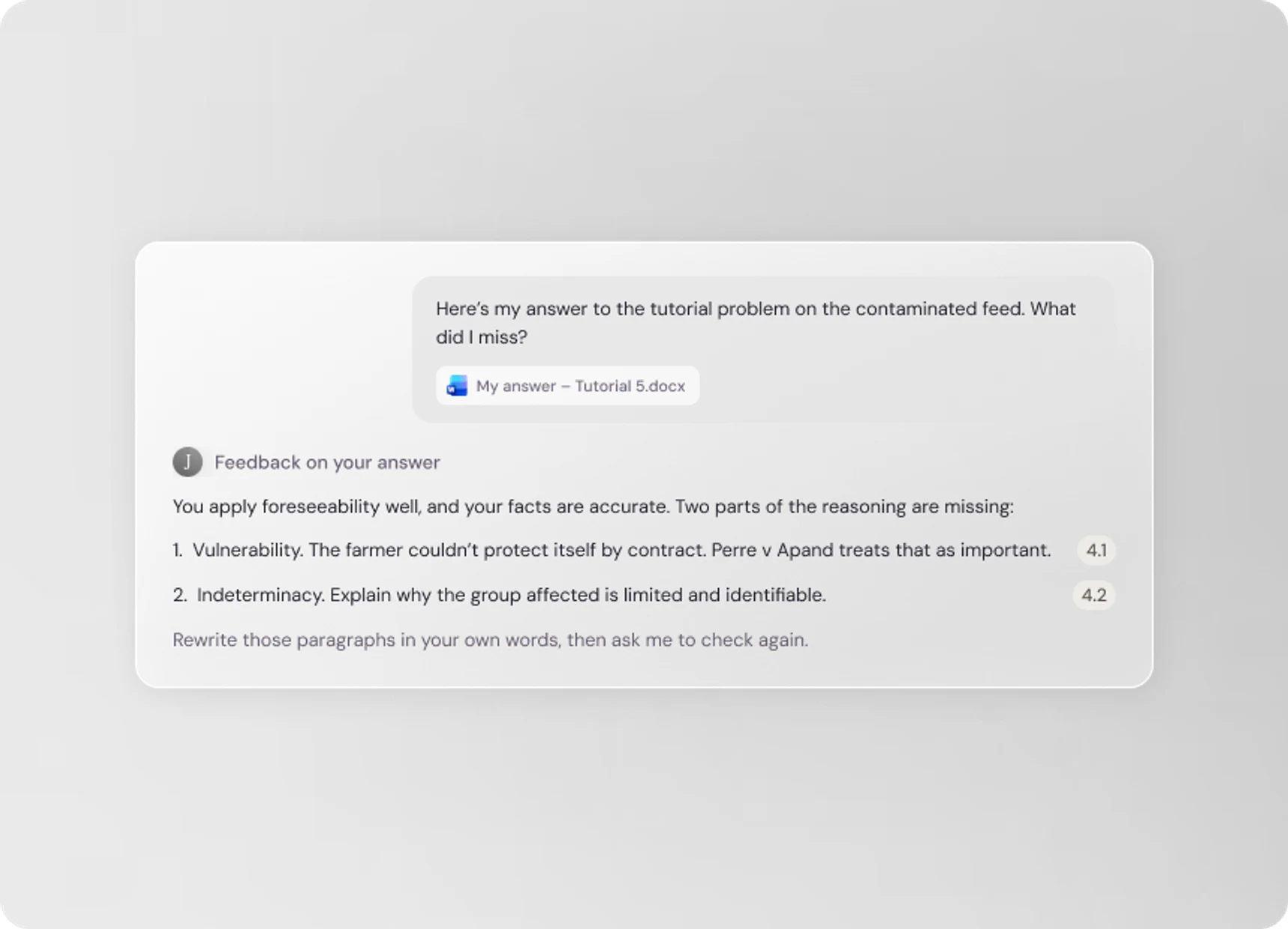
Write your own answer, then see what you missed, with the cases to go back to.
STEP 1
Write your answer
Work through a tutorial or past exam question, in your own words.
STEP 2
Review your reasoning
Compare your answer with the issues and cases Juriton flags.
STEP 3
Check the judgment
Read the passage for yourself before changing your answer.
Your notes are private
Your workspace should be too
A workspace designed to protect your documents and study notes.
Explore security
Data encryption
We protect stored matter data and backups with AES-256 encryption, and data in transit with TLS 1.2+. File access uses signed links that expire within minutes.
No AI training
Your matter data is not used to train AI models. Our AI providers are contractually bound by this rule, with processing content deleted after a provider-specific abuse-monitoring period of 30–55 days.
Australian hosting
Documents, matter data and backups are stored on AWS in Sydney. AI processing takes place outside Australia with named providers under contractual no-training terms.
Separate workspaces
Access is checked against your workspace permissions on every request, keeping each workspace’s data separate.
Ongoing protection
Hosting and database providers monitor the platform around the clock. We review dependency advisories, check database security after schema changes and maintain incident runbooks for responding to risks.
Use AI within your university’s rules
Check your unit’s AI policy before you use AI for assessed work.
| What university AI policies usually ask, and how Juriton helps | How Juriton helps |
|---|---|
| Check anything you rely on. | Open the cited page to check it against your reading. |
| Submit work that is your own. | Helps you understand and practise. The writing stays yours. |
| Be open about how you used AI. | Check the cited sources and follow your unit’s rules on disclosing AI use. |
Rules differ between universities and subjects. Check your unit’s AI policy before you use AI for assessed work.
FAQ
How is Juriton different from ChatGPT or Claude for law study?
Can I use Juriton for assessed work?
Who uses Juriton for law study?
What can Juriton help me study?
What documents can it work with?
Is my material private?
What is a Skill?
How much does Juriton cost?
Live demo · 30 min
See case notes in Juriton
- 30 minutes. No documents needed.
- Choose the work you want to see during the demo
- Get direct access to Juriton during the demo
 30 minutes. No documents needed.