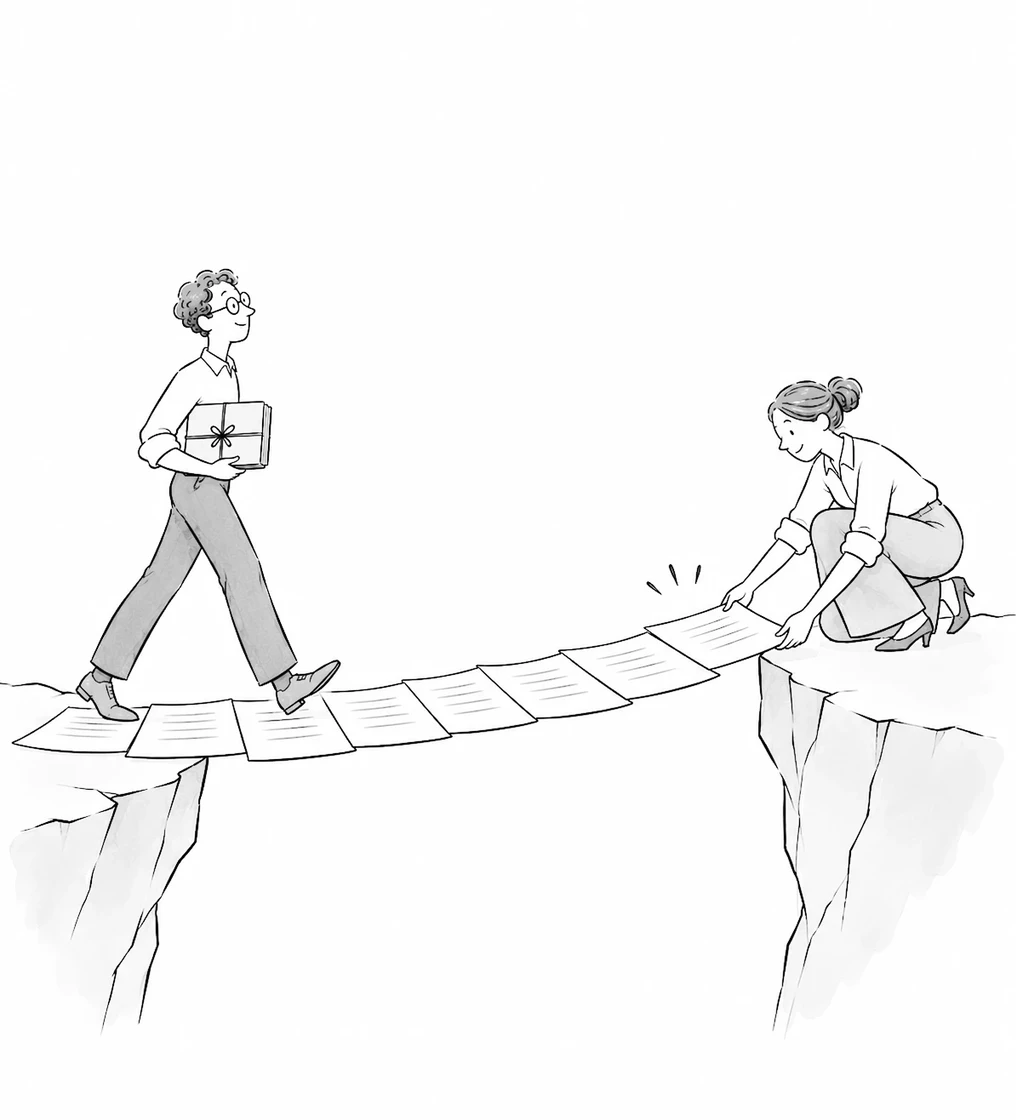
Turn medical records into a chronology
For plaintiff and defendant personal injury lawyers. Build a medical chronology from the records, check gaps in treatment and prepare a brief for your expert.

What pilot participants reported
Reported the same or better quality
Felt more confident preparing a matter
Estimated weekly time saved, reported in pilot interviews
Build a medical chronology
Put treatment dates in order and check them against the underlying records.
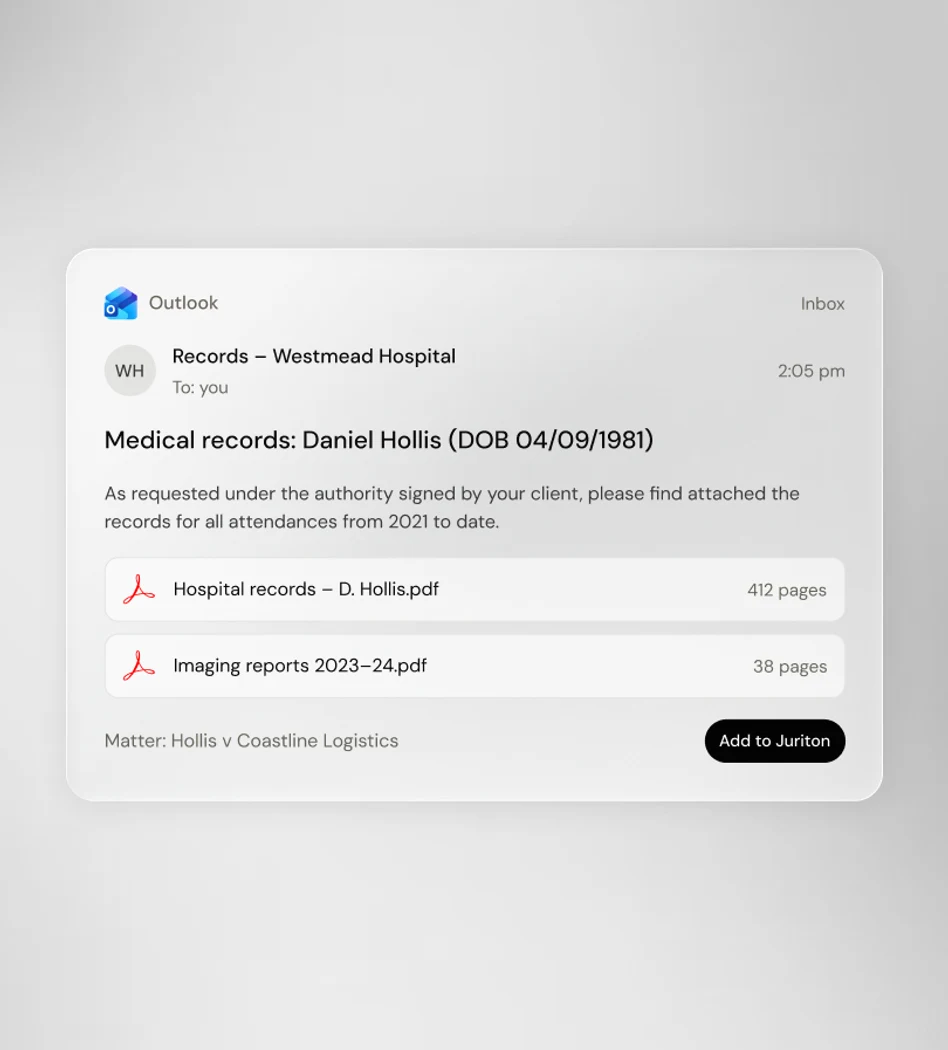
Add the records
Add hospital, GP and imaging records to the matter.
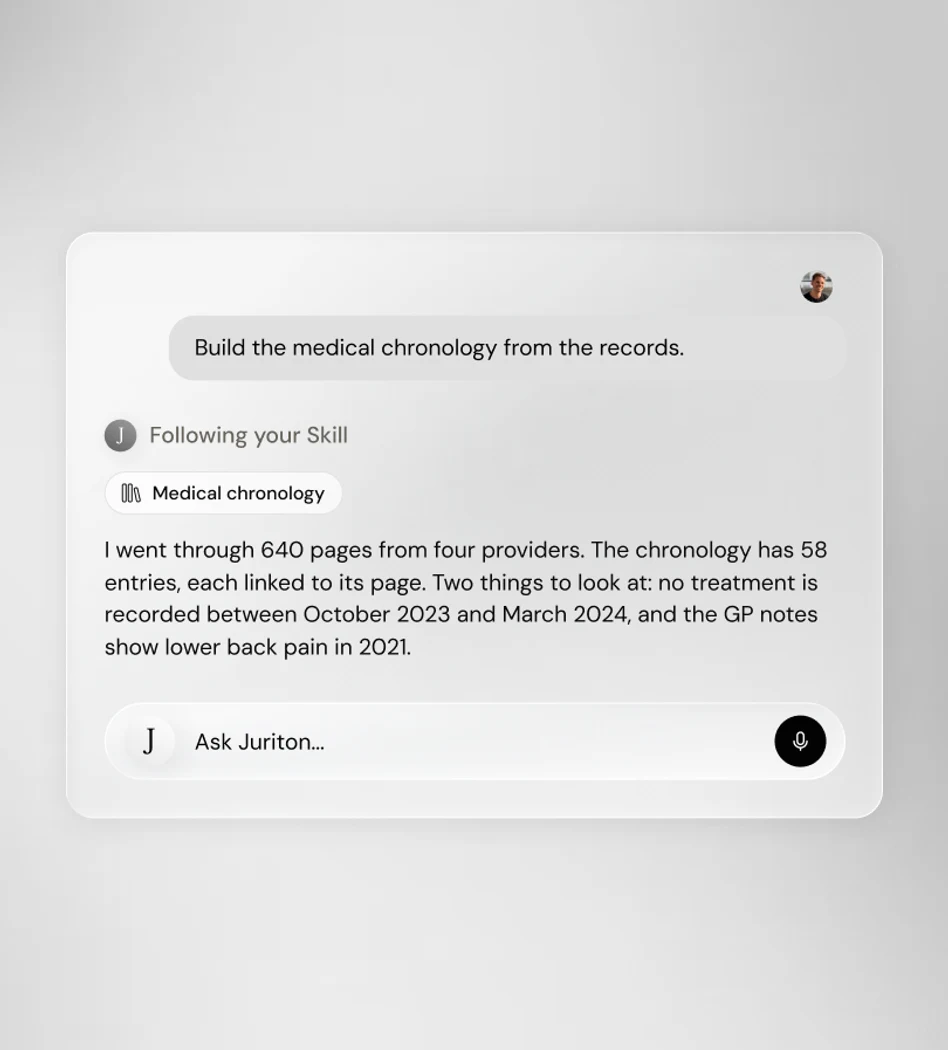
Ask for a chronology
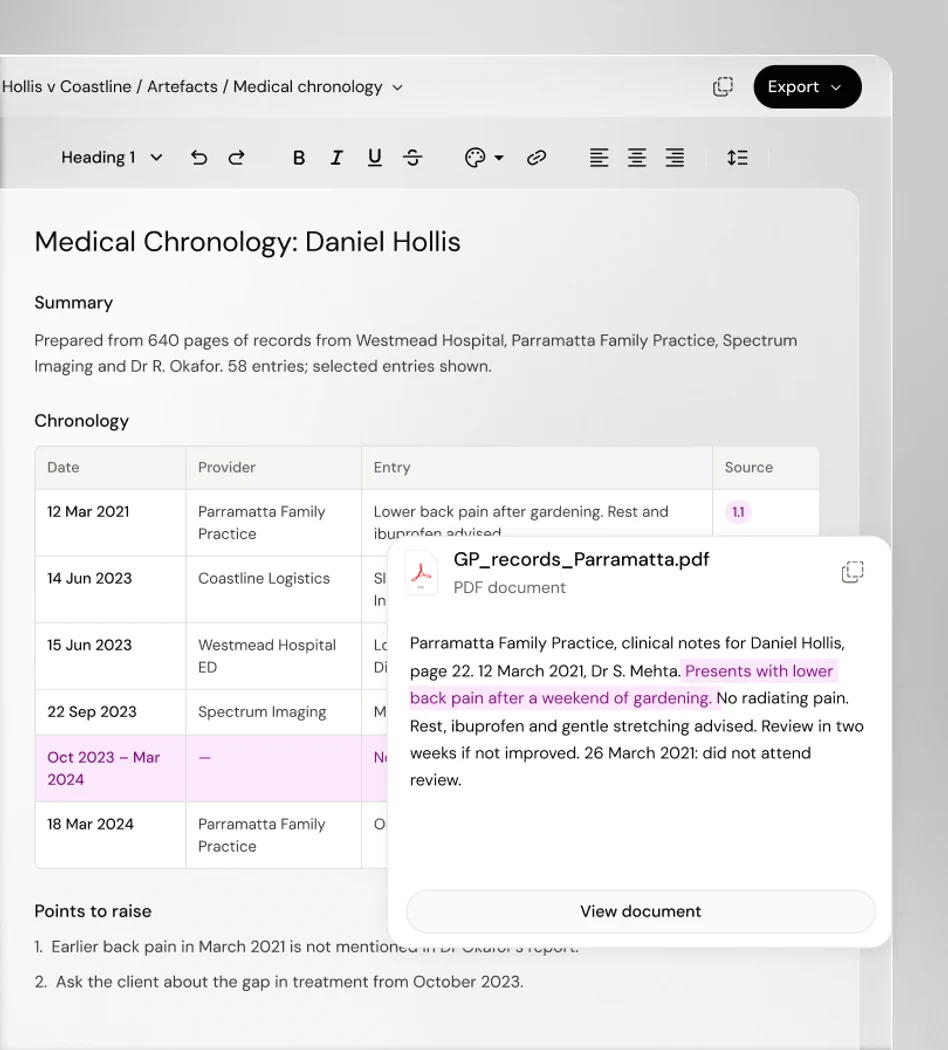
Use your Skill to put hospital, GP and imaging records in date order.
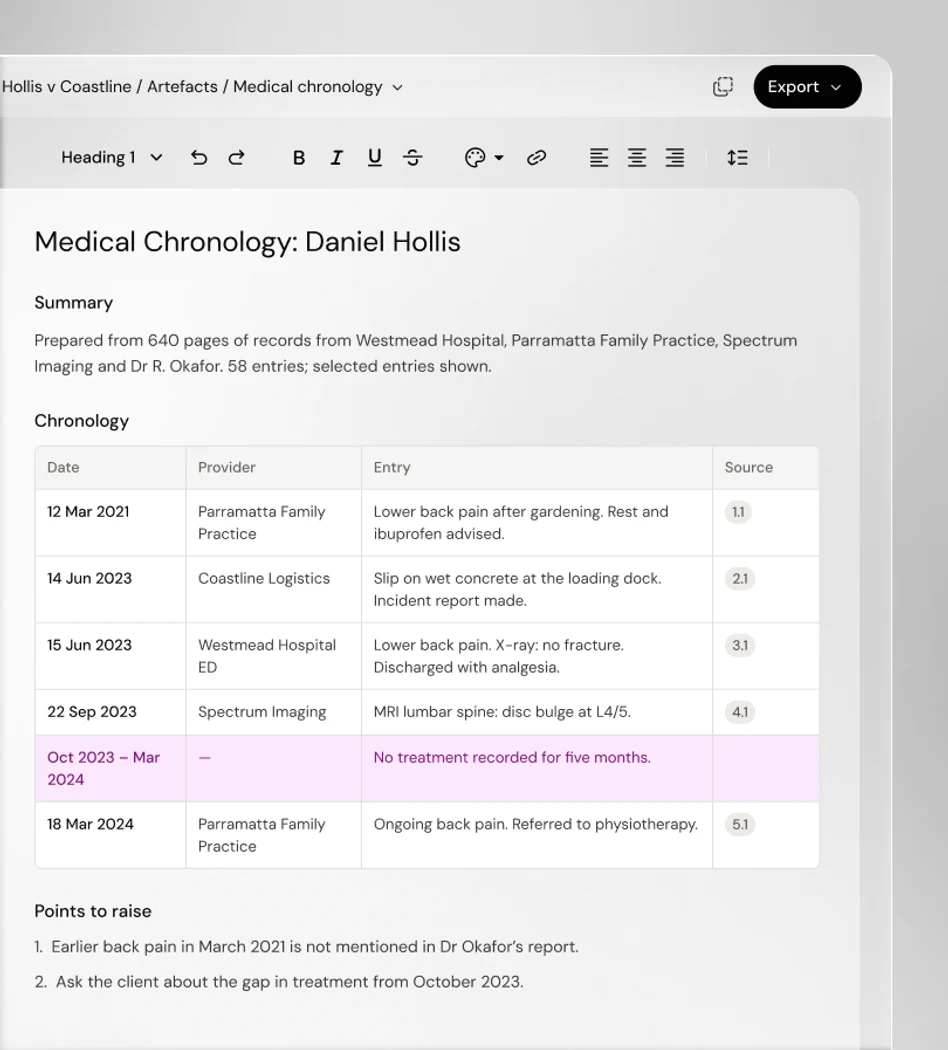
Review treatment dates
Review the attendances and note any gaps in the records.
Check the records
Open the cited pages before using the timeline in an expert brief.
Perfect your workspace with your own skills and judgment.
Simon MikkelssonFounding designer · Board member

Brief the expert with the whole history
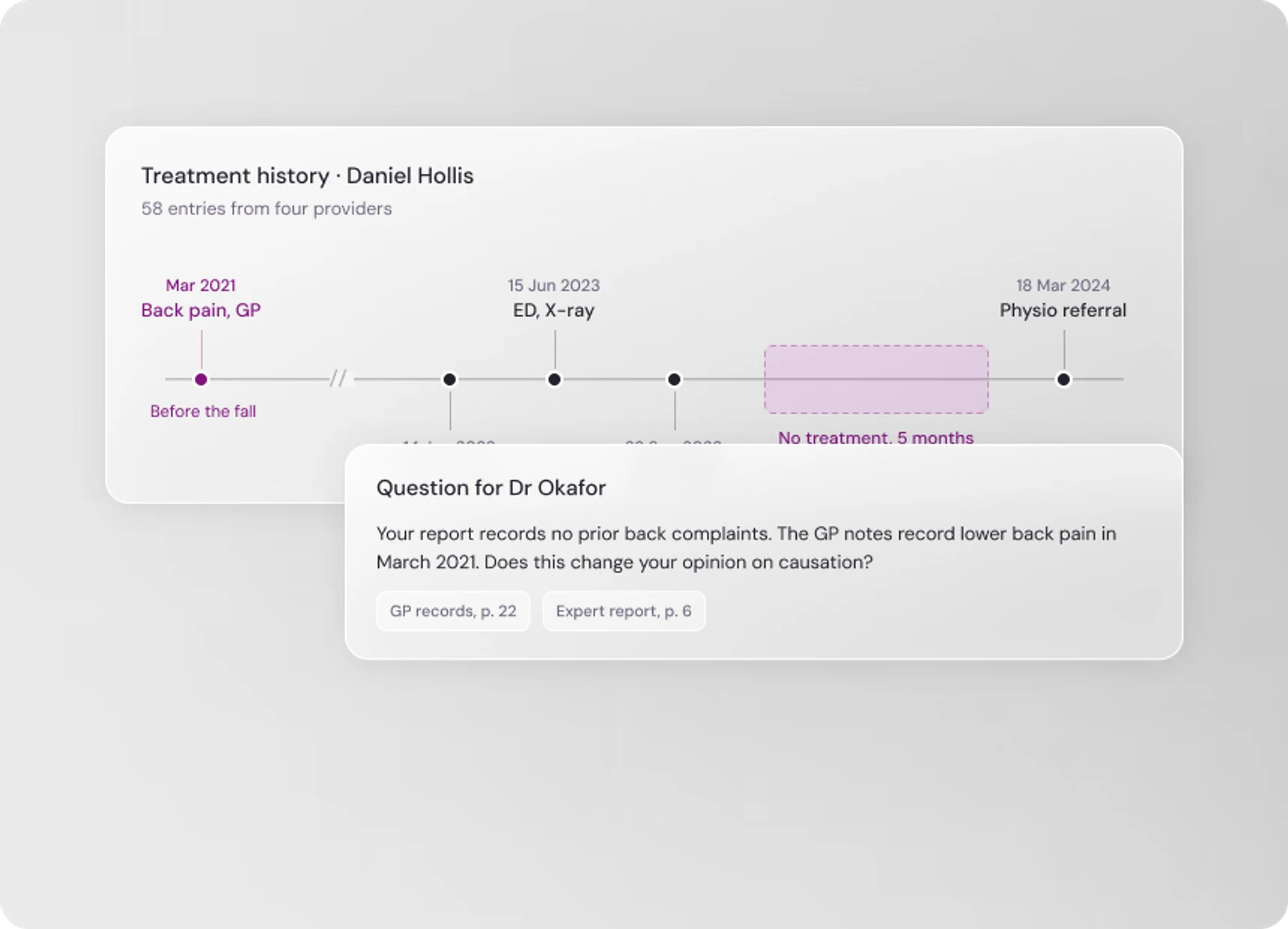
Review the treatment timeline against the records you plan to send before drafting the letter of instruction.
STEP 1
Review the timeline
Bring attendances, scans and reports into one timeline.
STEP 2
Check the gaps
Earlier symptoms and gaps in treatment, each linked to the page.
STEP 3
Brief the expert
Use the findings to prepare questions and select records for the expert.
Your matters are confidential
Your workspace should be too
A workspace designed to protect your firm’s documents and matter data.
Explore security
Data encryption
We protect stored matter data and backups with AES-256 encryption, and data in transit with TLS 1.2+. File access uses signed links that expire within minutes.
No AI training
Your matter data is not used to train AI models. Our AI providers are contractually bound by this rule, with processing content deleted after a provider-specific abuse-monitoring period of 30–55 days.
Australian hosting
Documents, matter data and backups are stored on AWS in Sydney. AI processing takes place outside Australia with named providers under contractual no-training terms.
Tenant isolation
Access is checked against your workspace permissions on every request, keeping each workspace’s data separate.
Ongoing protection
Hosting and database providers monitor the platform around the clock. We review dependency advisories, check database security after schema changes and maintain incident runbooks for responding to risks.
Built for responsible AI use
Check the AI guidance that applies to your work. Verify the sources before relying on a draft.
| What the regulators’ AI guidance asks, and how Juriton helps | How Juriton helps |
|---|---|
| Check the work before you rely on it. | Click any entry to open the page it came from. |
| Keep client information confidential. | Each firm has its own tenant, and medical records aren’t used to train AI models. |
| Give advice based on your own judgment. | Suggests changes you accept or reject. Flags gaps instead of guessing. |
Based on the Statement on the use of AI in Australian legal practice by the Law Society of NSW, the Legal Practice Board of WA and the Victorian Legal Services Board + Commissioner.
FAQ
How is Juriton different from ChatGPT or Claude for personal injury?
Can Juriton build a medical chronology?
Can Juriton use our templates and precedents?
What personal injury work can Juriton help with?
What documents can it work with?
Are medical records and client material safe?
What is a Skill?
How much does Juriton cost?
Live demo · 30 min
See a chronology in Juriton
- 30 minutes. No client files required.
- Choose the work you want to see during the demo
- Get direct access to Juriton during the demo
 30 minutes. No client files required.